
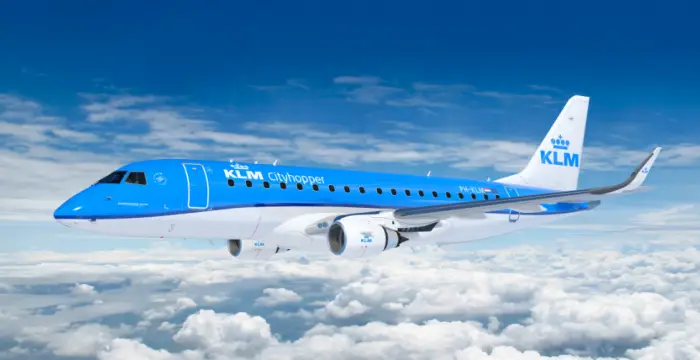
In a major upgrade for European travelers, KLM Royal Dutch Airlines has officially launched free high-speed Wi-Fi on its European flights as of January 22, 2026.
Gone are the days when staying connected above the clouds in Europe required a credit card. KLM now offers complimentary access to web browsing, email, and even streaming services on equipped aircraft. However, there are specific requirements you need to meet to get online for free, and not every plane has the technology installed just yet.
Here is your complete guide to KLM’s new European Wi-Fi service.
The Big News: “Full, Fast, and Free”
KLM’s new service is powered by Viasat technology (specifically Ka-band satellite connectivity), which allows for speeds fast enough to stream video—a rarity on short-haul European hops.
Previously, passengers only had access to free messaging (WhatsApp/Messenger). Under the new 2026 policy, Flying Blue members can access the full internet for the entire duration of the flight at no extra cost.
What you can do for free:
- ✅ Stream movies and music (Netflix, Spotify, etc.)
- ✅ Browse the web and check emails
- ✅ Message via WhatsApp, iMessage, and Messenger
- ✅ Work on cloud-based documents
Which Aircraft Have Free Wi-Fi?
This is the most critical detail for travelers. As of the January 2026 launch, approximately 50% of KLM’s European fleet is equipped with the necessary antennas.
The rollout is tied to specific aircraft models. Before you board, check your booking to see which plane you are flying.
| Aircraft Type | Wi-Fi Status | Availability |
| Airbus A321neo | ✅ Yes | 100% of these new jets are equipped. |
| Embraer 195-E2 | ✅ Yes | Regional jets operated by KLM Cityhopper. |
| Boeing 737-800 | ⚠️ Partial | Only a selection of the 737 fleet has been upgraded. |
| Embraer 190 / 175 | ❌ No | Older regional jets generally lack connectivity. |
Traveler Tip: If your flight status shows an Embraer 195-E2 (Cityhopper) or an A321neo, you are almost guaranteed connectivity. If you are on an older Embraer 190, plan for an offline flight.
How to Connect (Step-by-Step)
The “free” Wi-Fi is not open to everyone automatically; it is a perk for loyalty members. You must be a Flying Blue member to unlock the “Surf” and “Stream” passes for free.
- Switch to Airplane Mode: Once the cabin crew allows it, enable Airplane Mode and turn on Wi-Fi.
- Connect to the Network: Select the KLM_WiFi (or similar) network.
- Open the Portal: Your browser should automatically redirect you to
connect.klm.com. - Log In: Sign in with your Flying Blue account. Don’t have an account? You can create one for free directly on the portal while in the air.
- Select Your Pass: Choose the Free Surf or Stream pass (which will show as €0.00 for logged-in members).
Note for Non-Members: If you do not wish to join Flying Blue, you will likely be restricted to the Free Messaging pass or asked to pay a fee (approx. €8–€12) for full access.
Why Viasat? (The Tech Behind the Speed)
KLM partnered with Viasat to install Ka-band satellite antennas on their narrow-body fleet. Unlike older air-to-ground systems (which cut out over water) or slower Ku-band systems, Viasat’s high-capacity satellites offer:
- Gate-to-Gate connectivity: In many cases, you can connect as soon as the doors close.
- High Bandwidth: Sufficient for multiple passengers to stream video simultaneously.
- Live TV: Some equipped aircraft also offer live television channels through the portal.
Frequently Asked Questions (FAQ)
Is KLM Wi-Fi free for everyone?
It is free for Flying Blue members. Registration is free. Non-members typically have to pay for browsing/streaming but get free messaging.
Does KLM Cityhopper have Wi-Fi?
Yes, but currently only on the newer Embraer 195-E2 jets. The older E190 and E175 models generally do not have Wi-Fi.
Can I watch Netflix on KLM European flights?
Yes. If your plane is equipped with Viasat Wi-Fi and you are logged into Flying Blue, the connection is fast enough to stream video.
How do I know if my KLM flight has Wi-Fi?
Check the flight status on the KLM app 24 hours before departure. Look for the Wi-Fi symbol next to the flight number, or check if your aircraft is an A321neo or E195-E2.